›“Book unloading slot for container ABC123”
Dynamic actionPreviewOperations
Forwarders, brokers, and drayage teams
One graph connects container, B/L, truck, and customs context so every ETA change, free-time clock, and document blocker has an owner and next action.
Type a natural command. Robo Meister resolves the relevant modules, workflows, context, missing fields, and safe next step for this solution.
Command Center examples describe module-, workflow-, and context-resolved actions. Execution depends on configured permissions, available data, and review gates.
Simple mental model
Robo Meister adds a controlled execution layer around existing business tools. Start with one workflow, prove the result, then expand through packages, apps, APIs, and marketplace channels.
Connect the existing system, document source, event, or API that starts the workflow.
Robo Meister controls owners, approvals, exceptions, evidence, and human review.
After one proven workflow, expand through packages, apps, APIs, marketplace, Store, or partner channels.
Section 1 · Pain
Like a robot cell that loses calibration between sensors, port teams lose money when container, B/L, truck, and customs state drift apart. The orchestration problem is aligning the graph before the next move is wrong.
Free-time clocks behave like runtime constraints in robotics: the deadline is real, but each event can change the safe action window. The hub keeps the countdown tied to ownership and evidence.
When ETA changes, the route must be reprogrammed without breaking the rest of the cell: appointment, driver, document check, yard plan, and customer update move together.
Section 2 · Packs
Canonical Port solution package for container context, visibility, free-time countdowns, ETA events, and cost forecast actions.
Provides
Requires
Coming-soon port pack for port slot selection and transport assignment updates across drayage workflows.
Provides
Requires
Coming-soon ISF 10 plus 2 and CBP entry rule pack for port compliance readiness checks.
Provides
Requires
Coming-soon risk and exception pack for scoring port workflow risk and routing operational exception queues.
Provides
Requires
Section 3 · How it works
The category is the matcher, not the label: a container update, B/L blocker, truck appointment, or customs event is matched to the graph state and rule context before Robo Meister proposes the next safe action.
Section 4 · Starting market
The first target is forwarders, brokers, and drayage teams moving 20 to 200 containers per month — not a broad public infrastructure transformation program.
Pain points
What changes with Robo Meister
Owners, documents, tasks, approvals, and handoffs sit in the same workflow context.
The pilot starts with the exception path that creates delay, rework, or customer chasing.
Automation assists routing and evidence while reviewers keep responsibility for decisions.
Sample workspace / pilot preview
Intake lane
New requests arrive with source, priority, owner, and required context.
Review lane
Exceptions and approvals show the reviewer, evidence, and next action.
Handoff lane
Completed work moves with a concise audit trail and follow-up owner.
What the pilot delivers
Product screenshots
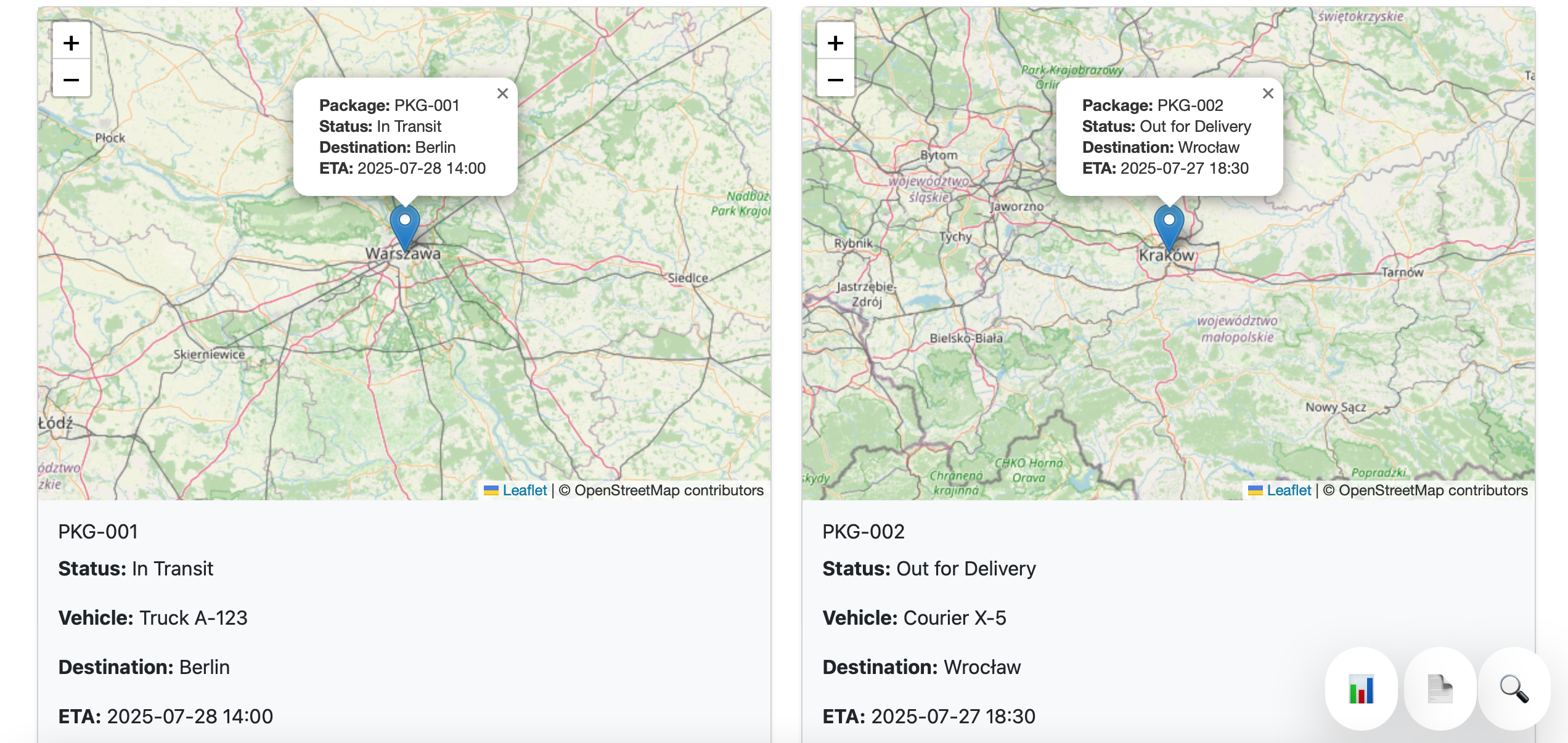
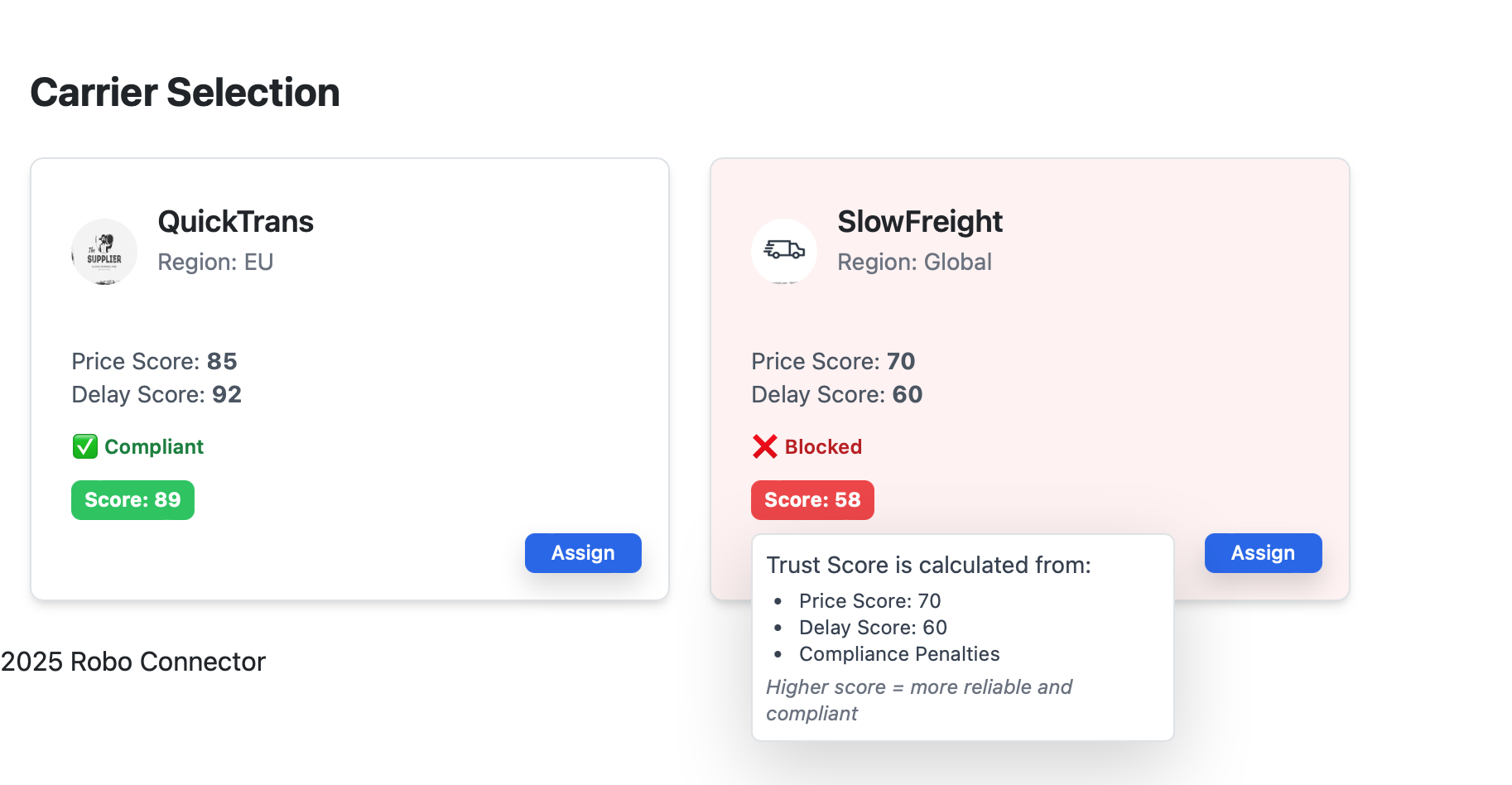
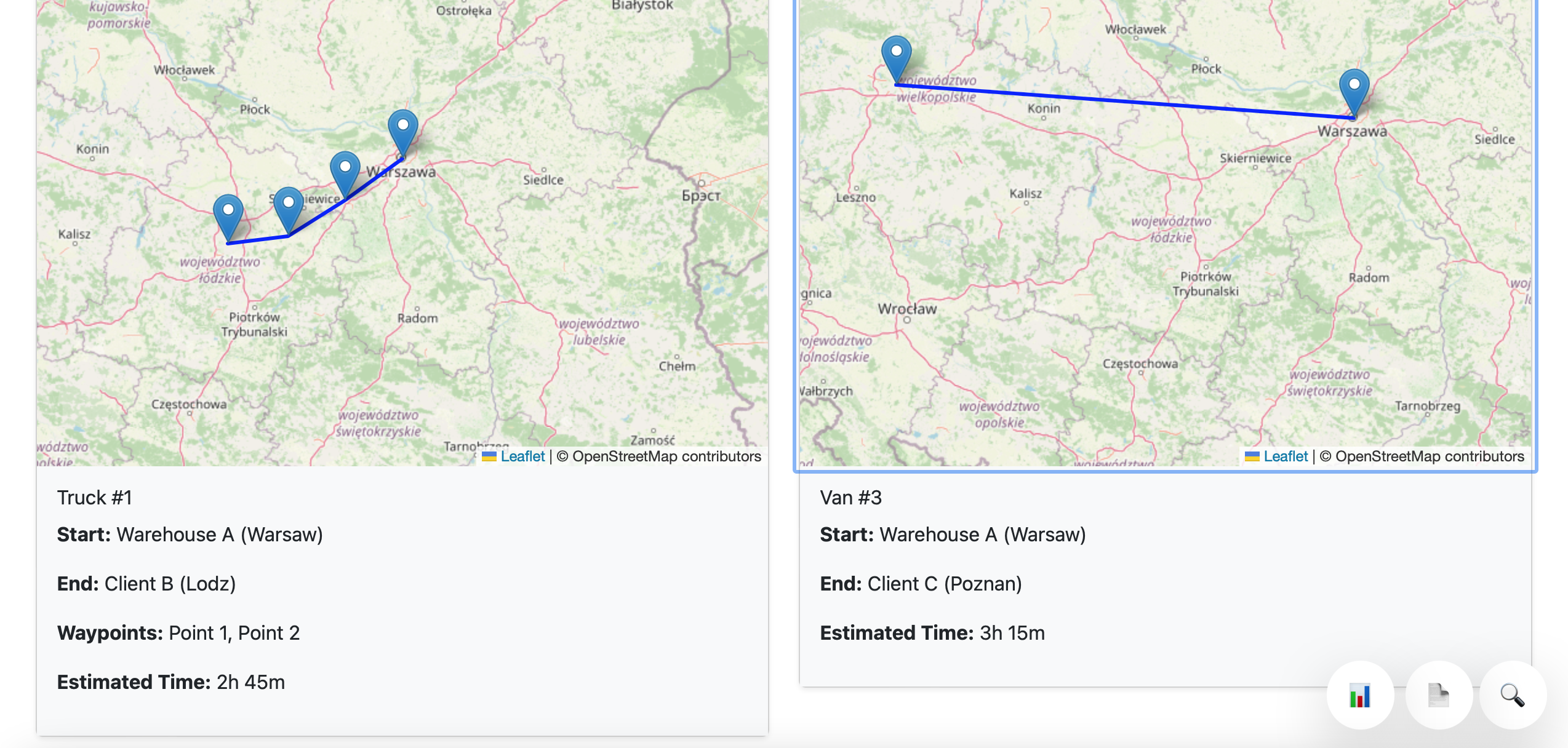
These current product screenshots anchor the solution story in existing Robo Meister modules while the pilot maps the first workflow.
Works with current stack
Keep your current systems of record. Robo Meister starts as the workflow layer around the queue, documents, approvals, and handoffs that are currently scattered.
Before / after
Before: scattered messages, documents, approvals, and spreadsheet status checks.
After: one mapped workflow with accountable owners, visible exceptions, and a measured pilot outcome.
Best fit
Less ideal
FAQ
No. The first pilot maps one workflow around your current stack and identifies only the integrations needed for that workflow.
Bring one workflow, the people who touch it, where it stalls, and what outcome would prove the pilot worked.
Success is defined as a visible workflow map, a working pilot queue, and an agreed metric such as less chasing, faster review, or fewer missed handoffs.
Boundaries
Bring one lane, monthly container count, free-time rules, and the handoff that creates detention, demurrage, or rework cost.