Automate what can be automated. Coordinate everything else.

Start automating

Your processes repeat. But no two cases are identical.

Workflow Orchestration Platform | Human-in-the-loop Automation | Zapier alternative for approvals | Business process automation with fallback

Robo Connector orchestrates people, AI, apps and devices when context decides what happens next.

It turns recurring requests, decisions, approvals, exceptions and handoffs into goal-driven execution without pretending every case follows the same path.

Describe the outcome you need. The configurator checks package requirements, recommends the relevant setup and guides you through pricing, purchase and installation. Guided review and direct contact remain available when the case needs them.

Example orchestration path

Request

Email + portal + API

Check missing data

Requirements before execution

Risk?

Policy, SLA, quality

Auto / Human / AI

Route by context and authority

Evidence

Outcome, audit, metrics

The problem is not always a missing automation.

Work often already moves through email, chat, spreadsheets, specialist applications and informal decisions. The real problem is that ownership, context, requirements, exceptions and evidence are split between them.

Without coordination

  • • Requests arrive through several channels and lose a clear owner.
  • • Approvals stall because the next decision depends on hidden context.
  • • Missing information is discovered only after work has already started.
  • • Exceptions are handled manually without a reusable resolution path.
  • • Managers see delay or risk after escalation, not while it can still be prevented.

With coordinated execution

  • • Work is connected to a goal, case, owner and measurable outcome.
  • • Requirements and missing data are checked before dependent work continues.
  • • Routine actions can run automatically while judgment stays with authorised people.
  • • Exceptions follow configured escalation, fallback or correction paths.
  • • Status, evidence, bottlenecks and outcome metrics remain visible in one operational view.
Repeatable work does not require one rigid workflow.

Traditional automation works best when the trigger, data and next action are known in advance. Many operational processes repeat at a different level: the goal, requirements and decision rules remain recognisable, while the correct execution path depends on the case.

Robo Connector coordinates that variability without losing ownership, evidence, control or measurable outcomes.

A common goal and common requirements
Different paths for routine and exceptional cases
Human review where judgment is required
Different actors or tools depending on availability
Missing-information checks before work continues
Repeatable categories, decisions and outcomes

From goal to verified outcome

1. Goal

The organisation defines the result it needs to achieve.

2. Context

The system identifies the relevant case, available data, relationships, status and missing information.

3. Requirements

Rules, permissions, reviews, risks and quality expectations determine what is allowed or required.

4. Execution

Work is routed to people, AI, applications, services or machines according to the case and available capabilities.

5. Verified outcome

Evidence, status, KPIs and operational metrics show whether the goal was achieved.

Context that users can understand

Make important automation choices visible enough to trust.

The system can use workflow structure, templates, categories, goals, relationships, capabilities, queues and operational history without forcing users to manage every internal detail.

The relevant context should appear where a person needs it: during setup, request intake, assignment, approval, monitoring and exception handling. Users should be able to understand why a step is recommended, why work is blocked and why human review is required.

Automation that evolves with your organisation

Automation does not have to remain frozen after launch. Execution can adapt to the policies, risk conditions, quality expectations, actors and capabilities currently configured by your organisation.

Your rules

Apply the permissions, requirements, policies and approval conditions currently used by your organisation.

The level of risk

Routine cases can continue quickly, while higher-risk cases can require additional evidence, review, approval or escalation.

Your quality standards

Defined quality expectations can determine whether work continues, returns for correction or requires review before completion.

Automated where possible. Human-led where necessary.

The same process can combine automatic workflow actions, employees, external specialists, AI agents, existing applications, external services and physical devices. The appropriate executor depends on the task, permissions, availability, risk and required accountability.

Automatic workflow actions
Employees or external specialists
AI agents
Existing applications and APIs
External services
Robots, devices or machines

When the preferred execution method is unavailable or inappropriate, configured routing can assign an authorised alternative, request human intervention or return a clear blocker instead of silently failing.

Coordinate the process around the tools you already use.

Existing applications can remain systems of record or action executors. Robo Connector coordinates the operational goal, case context, owners, decisions, approvals, exceptions, evidence, fallback paths and measurable outcomes around them.

Go beyond isolated trigger-and-action automations

Tools such as Zapier, Make or IFTTT can remain useful parts of the stack. Robo Connector coordinates the wider process around goals, context, responsibilities, exceptions and results.

Common connection paths

  • • Email and forms
  • • Chat and notifications
  • • CSV and document intake
  • • Existing business applications
  • • Webhooks and REST APIs
  • • Devices and operational systems
Ask about integrations, deployment or security.

Concrete use cases

The useful starting point can be a request type, operational area, team, customer journey, regulated procedure or broader process—not necessarily one small fixed workflow.

Approval and purchasing

Routine requests follow the standard route. Higher-value or higher-risk requests receive additional evidence or approval requirements.

Document collection

Required documents, reminders, validation and escalation depend on the case and what has already been provided.

Customer onboarding

Different customer types can require different data, checks, owners, services and activation steps while working toward the same result.

Operational exceptions

Signals are assigned to the appropriate owner and routed through the available resolution, fallback or escalation path.

Quality-controlled work

Execution continues, pauses or returns for correction according to configured quality expectations and review conditions.

Service and delivery operations

Requests, ownership, deadlines, approvals and completion evidence remain connected across teams and systems.

Product views that support coordinated execution

Current views show shared operational work, request intake, activity evidence and KPI visibility.

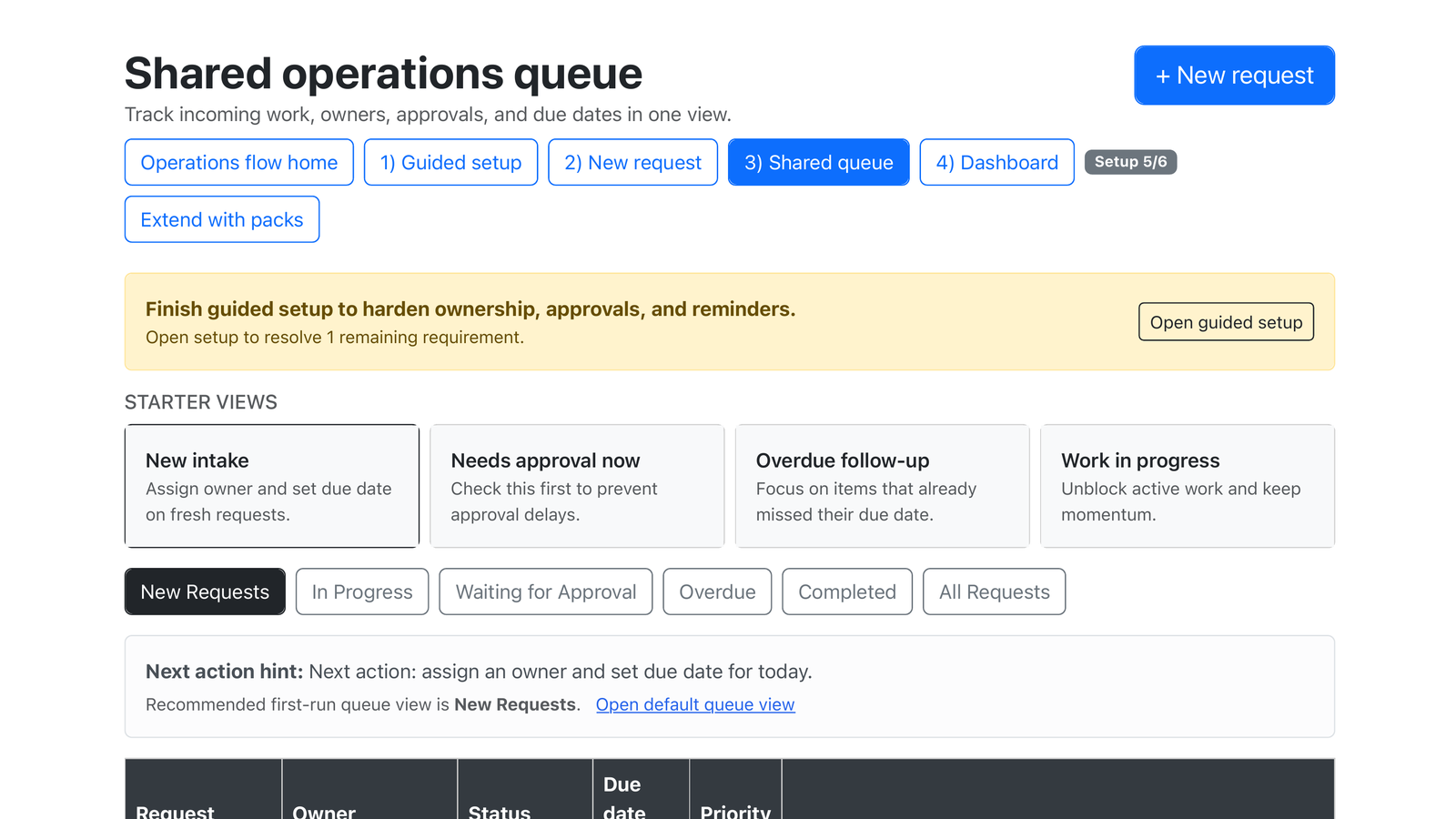
Shared automation queue with owners and status
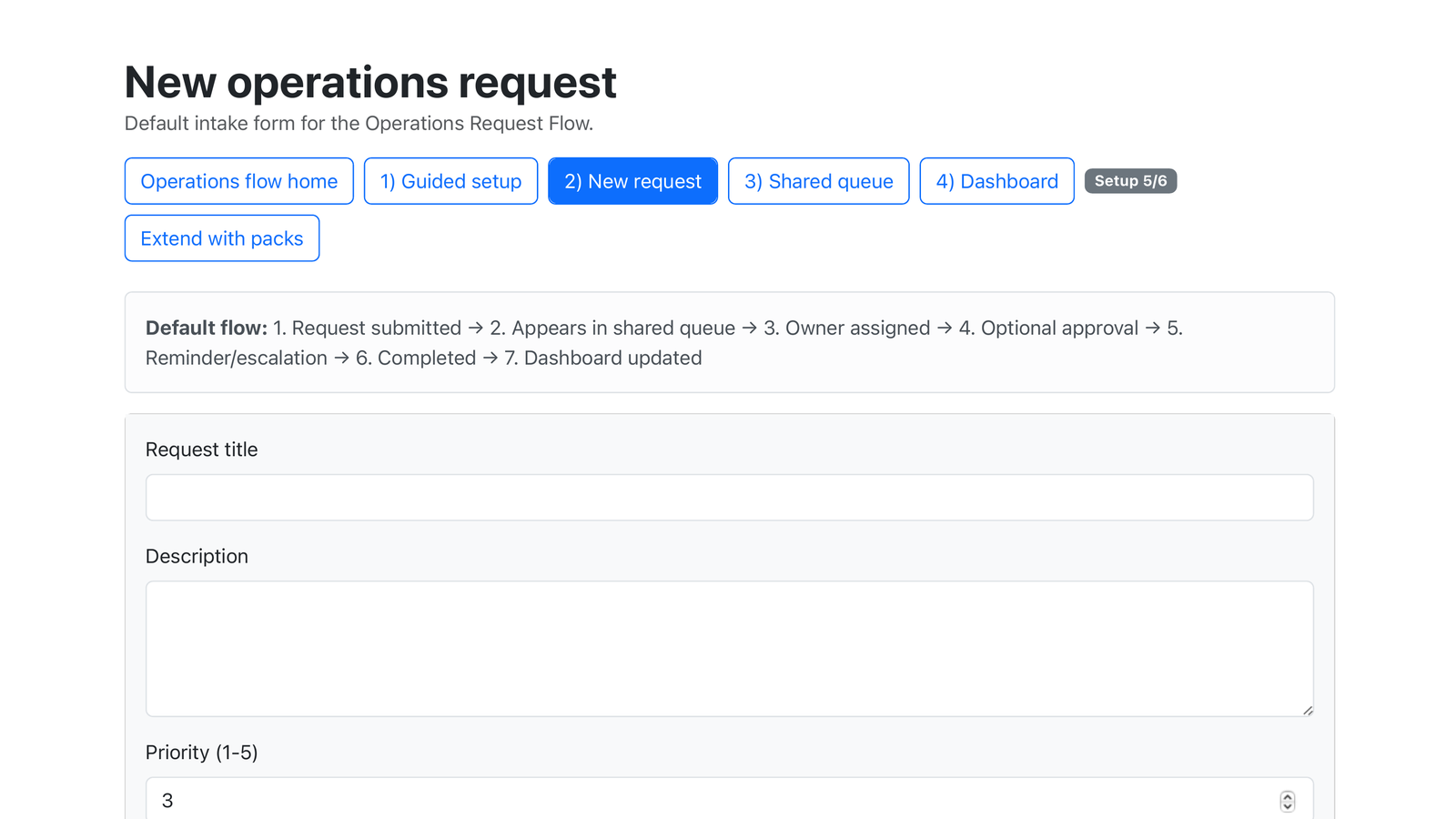
New operational request form for automation intake
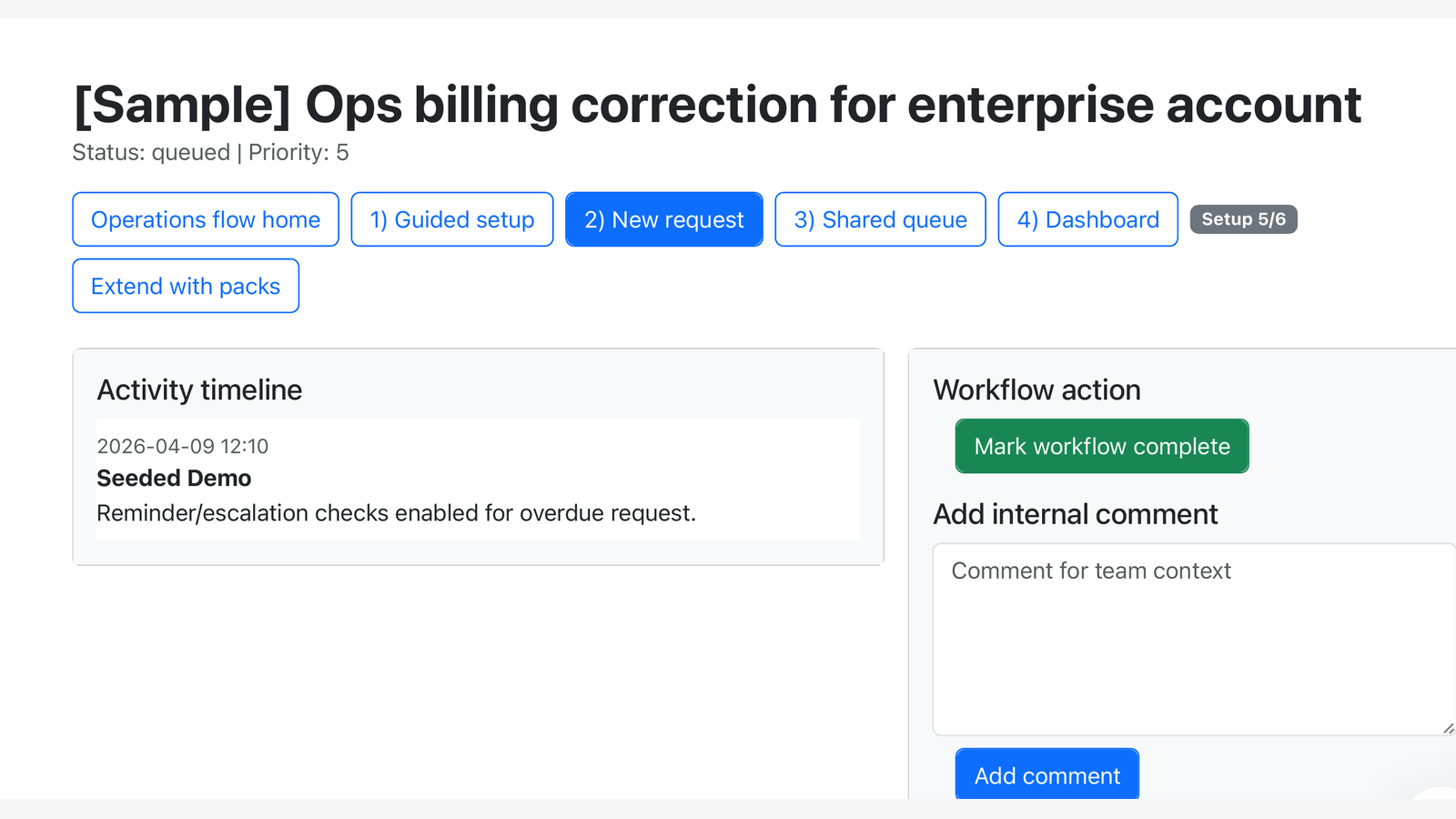
Automation request activity timeline with evidence
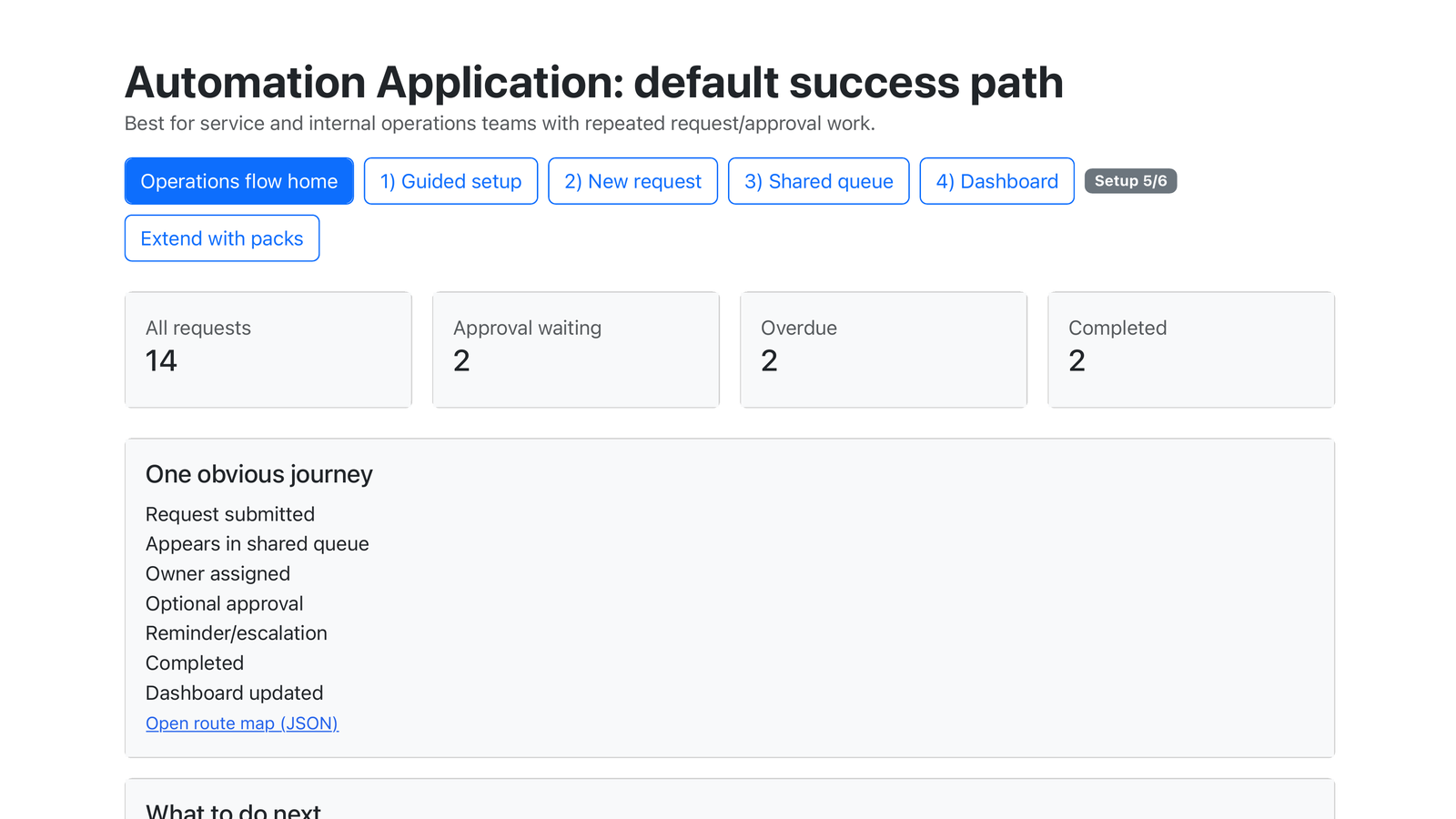
Automation KPI dashboard for operational outcomes

Find the appropriate automation path.

The setup path starts from the outcome, recurring work, current tools, delays, exceptions, review needs and constraints—not from forcing every customer into the same template.

1. Describe the operational need

Provide the goal, affected work, current systems, blockers and the decisions that still require human judgment.

2. Check requirements and options

The configurator checks package dependencies, relevant capabilities and available implementation paths before purchase or installation.

3. Continue in the right mode

Continue through self-service pricing and installation, book a guided review or contact the team for a specific technical or commercial question.

Choose how to move from need to implementation.

Recommended automation plan

Automation Application

Free for 1 process. Paid from $79/month.

365-day trial on eligible paid plans

Free for 1 process. Paid from $79/month. Full price after the configurator checks your package dependencies, existing modules, installed capabilities and implementation needs.

  • • Package requirements and dependencies are checked before installation.
  • • The setup can recommend relevant modules, packages and implementation support.
  • • Guided help remains available when self-service cannot safely continue.

Three ways to begin

Configure and install

Describe what you want to improve. Check requirements, review the recommended setup and continue through pricing, purchase and installation.

Configure your automation

Plan it with us

Review the operational goal, current tools, major blockers and an appropriate implementation path with the team.

Book an automation review

Ask a specific question

Ask about integrations, deployment, security, partnerships or a custom operational requirement.

Contact our team

Best fit

  • • The organisation handles recurring types of work
  • • Individual cases can require different execution paths
  • • Work crosses teams, systems or external services
  • • Context determines the next appropriate step
  • • Exceptions, approvals or missing information cause delay
  • • Policy, risk or quality conditions affect execution
  • • Automation is wanted without removing necessary human judgment
  • • Outcomes should be visible and measurable

Less ideal

  • • The need is only a simple two-step trigger and action
  • • The work is entirely one-off and has no reusable structure
  • • There is no owner for process rules or exceptions
  • • The customer expects autonomous regulated or high-impact decisions without human accountability
  • • The customer expects an immediate replacement of all systems without implementation work

FAQ

Does every case need to follow the same workflow?

No. The goal and requirements can repeat while the execution path changes according to context, available data, organisational rules, risk and quality conditions.

Do we need to replace our existing tools?

No. Existing systems can remain sources of data or action executors while Robo Connector coordinates the wider operational process.

Can some steps remain manual?

Yes. Steps can remain human-led where judgment, approval or accountability is required.

What happens when automation or an integration cannot continue?

Configured fallback can route work to an authorised person, alternative capability or explicit blocker instead of hiding the failure.

Can the automation change as our organisation grows?

Yes. Policies, risk conditions, quality requirements, actors and capabilities can be updated without treating every automation as an isolated fixed script.

How do we start?

Use the configurator to check requirements and continue through pricing and installation. The public starting point is free for 1 process, paid plans start from $79/month, and the full price appears after dependency checks. You can also book an automation review or contact the team with a specific question.

Is Robo Connector making compliance or regulated decisions?

No. Robo Connector can apply configured controls, route work and require evidence or review, but responsibility for organisational policy and regulated decisions remains with authorised people.

Execution layer

Part of Robo Meister execution layer.

Start with automation, expand to FlowScribe OCR, AccordFlow Sign or Robo Assistant when needed. FlowBeacon AI acts as the Orchestration Engine for event-based routing, safe decision support, goal routing across workflows, apps and robots, with audit trail and guardrails.

Turn operational goals into coordinated execution.

Automate predictable work, coordinate exceptions and keep people in control where judgment is required.

Begin at the scale appropriate to the problem and expand when the operational value is proven.

Works even when integrations fail

If an API, inbox, or device is unavailable, the Workflow does not stop. Robo Meister routes the step to a safe Fallback path, alerts the right owner, and keeps the Audit Trail complete.

Hybrid execution

Hybrid automation with fallback: AI, people, integrations, and devices work together with audit trails. The platform picks the best Executor for each step and can switch automatically when conditions change.

Terminology

  • Workflow: an executable business process.
  • Pack: installable set of workflows, rules, templates, and integrations.
  • Executor: who or what performs a step (AI, employee, SaaS, or device).
  • Fallback: automatic switch to another Executor when needed.
  • Audit Trail: evidence of what happened, when, and why for compliance reviews.