Robo Connector

Orchestrate people, AI, and robots around your goals — safely and compliantly.
Composite: workflow run, finance posting, route plan map

What makes it different

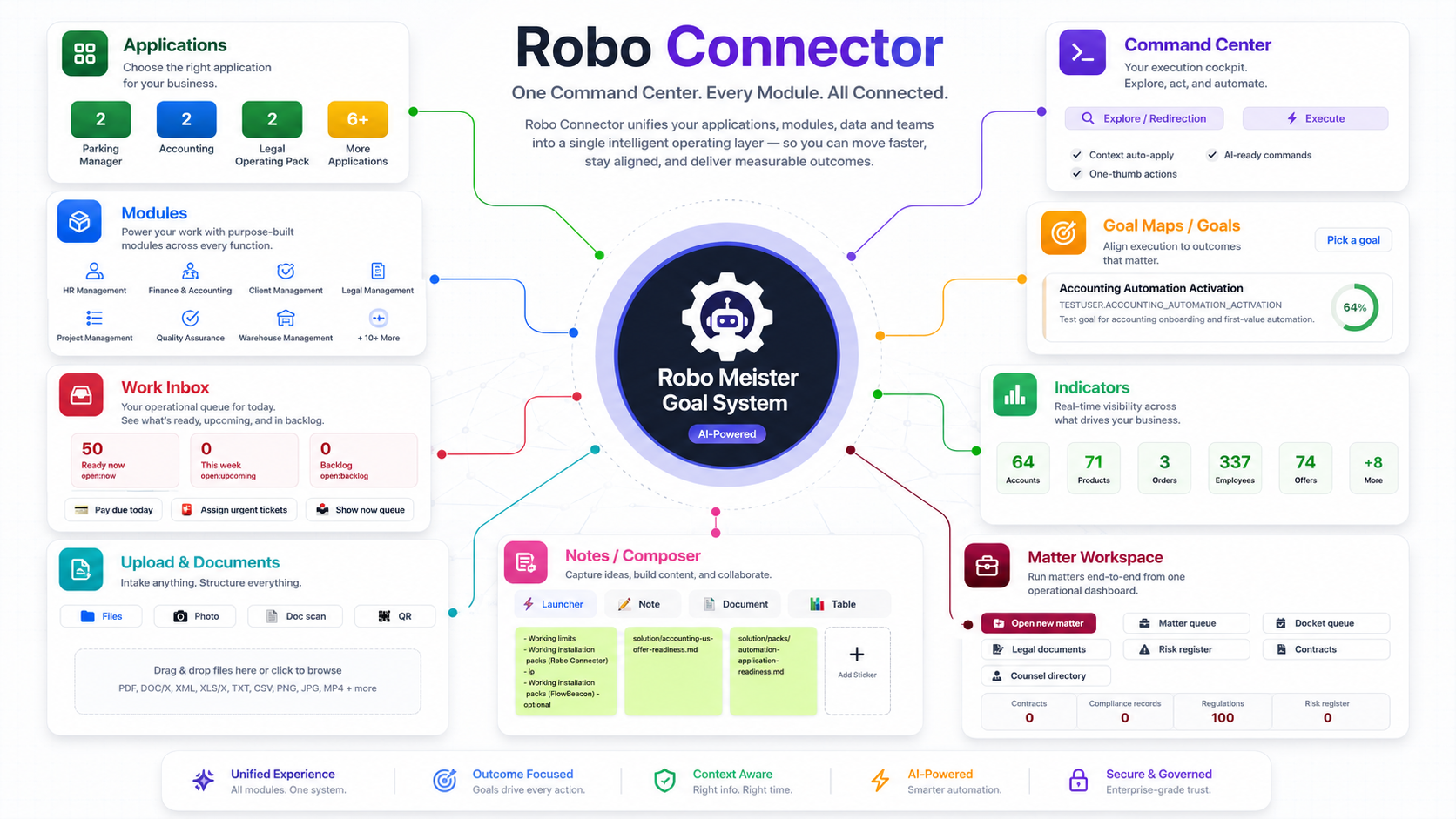
Robo Connector starts from one Command Center. Describe what you need, and the system uses context to find the right action, workflow, document, performer, or module — then helps you execute and prove the result.

One command point — search, preview, or execute actions from one place.
Context-aware routing — commands adapt to client, project, module, role, and current situation.
Actorless assignment — the system can choose the best human, AI, service, or robot for each step.
Guardrails — rules, risk, localization, and missing fields can block, ask, escalate, or continue safely.
Goals connected to real work One command point · Context-aware · Cross-module · Measurable outcomes 🎯 Goal Maps Automate order Improve retention ⚙ Command Center Ask or command... Explore ⚡ Execute 🧠 Context client · module · role Workspace Work items 50 Docs 247 Risks 7 🏆 Outcome ✓ work completed ✓ proof attached ✓ progress tracked Goal-driven One command point Cross-module Proven

Goal‑Driven Loop

Closed loop learning: telemetry improves matching and suggestions.

Command Center

From command to action — or full workflow

Robo Connector’s Command Center can open pages, prepare forms, run actions, start workflows, ask for missing fields, and monitor progress from one place. Actions are resolved through modules, workflows, and context.

Explore modules
Module action finder
“order items”
Detects

Store module, order-related pages/forms/actions

Result

Shows Order items, Order Form, Work Order, Supply Order, and executable order action.

Dynamic actionModule contextPreview / Execute
Payment action
“pay for an order Robo Connector”
Detects

order context and payment action

Result

Preview shows prepared action; Execute runs when permissions and data allow.

PreviewPermissionsSafe execute
Calendar action
“Create meet every Monday at 10:00”
Detects

title, start/end time, duration, recurrence rule

Result

Preview opens a prepared form; Execute creates recurring meeting.

Dynamic actionPrepared formRecurring

Command Center examples describe module-, workflow-, and context-resolved actions. Execution depends on configured permissions, available data, and review gates.

Core Modules

Guardrails by Design

Compliance & risk are enforced inside the flow — not bolted on. Unsafe actions are blocked, escalated, or auto‑fixed.

Action
Create Purchase Order
New supplier, food category
Regulatory Check
Blocked
Missing HACCP + insurance → request via portal
Resolution
Auto‑Unblocked ✅
Docs verified → PO released

Invoice → Journal Entries

Drop an invoice. Connector handles OCR, mapping, validation, and posting with audit trail.

Interface Preview

Finance BPM WMS

Ready to orchestrate your business?

Start with the core modules, add packages as you grow, and let goal‑driven logic keep everything aligned.