Problem this module solves
Legal teams lose time rebuilding context across documents, inboxes, task lists and disconnected analysis. The Legal module provides one connected Matter and a structured path from reviewed reasoning into controlled work.
Connected Matter and legal-analysis layer
Legal teams lose time rebuilding context across documents, inboxes, task lists and disconnected analysis. The Legal module provides one connected Matter and a structured path from reviewed reasoning into controlled work.
Keep factual claims, Evidence, Issues, Positions and Legal Arguments connected to reviewed operational work without turning the system into an autonomous legal decision-maker.
Legal teams lose time rebuilding context across documents, inboxes, task lists and disconnected analysis. The Legal module provides one connected Matter and a structured path from reviewed reasoning into controlled work.
Start with the Matter and add analytical or operational structure only when it helps. Every layer remains distinct, reviewable and permission-aware.
Keep Issues, Positions, factual claims, Evidence, Legal Arguments, Requests, hypotheses, documents, reviews and history around one Matter. None of the optional analytical layers is mandatory.
See Facts or Arguments supporting or contradicting Positions; keep Arguments linked to the Facts they rely on and the Issues they address. The system does not choose a winning Position.
Evidence remains different from reasoning: a canonical Document, revision or fragment can support, contradict, qualify or contextualize an eligible analysis target with source history intact.
Matter Cockpit can surface reviewable document, workflow, communication and operational suggestions from Matter context and installed configuration, with reasons and review status visible.
Move reviewed context into documents, reviews, tasks, configured workflows, communications and follow-up through canonical services.
Installed packs shape selected workflows, document expectations, legal context, review rules and operational defaults. They are configured starting points, not complete legal coverage.
The central context for people, Issues, factual claims, Positions, Arguments, Requests, hypotheses, documents and controlled work.
A factual proposition stays distinct from the Document, revision or fragment used to support, contradict, qualify or contextualize it.
A Position records a participant or legal-team stance. A reviewable Argument explains reasoning and may rely on Facts or support or contradict a Position.
Issues organize legal questions, Requests record sought outcomes, and hypotheses remain candidate legal qualifications rather than conclusions.
Rules and controls
The Regulatory Engine can match configured rules, policies and case context to support legal-office operations. It can show required documents, missing information, review gates, evidence history, risk context and AI thresholds without replacing legal judgment.
AI threshold
AI draft allowed, lawyer approval required.
Risk
High risk — senior review recommended.
Evidence
Evidence checklist, approvals, documents, review notes, and decision history stay connected to the matter.
Configured workflow support only. Robo Connector is not a law firm and does not provide legal advice.
Connect configured rules, policies and requirements to matter types, documents, tasks, review gates, risk tags, evidence history and optional AI thresholds.
Configured effects can help route legal operations work, but they do not guarantee compliance, replace professional review, or provide legal advice.
Use this when the first module starts producing records that need approvals, evidence, automation or follow-up.
Templates, versioning, document requests, evidence files, retention context.
Open DocumentsMatter risk scoring, escalation, review thresholds, AI threshold recommendation logic.
Open RiskTask generation, approval routing, handoff control, exception queues.
Open BPM / WorkflowOrganisation and context regulation mapping, requirement checks, regulation effects.
Drafting assistance, summarization, explanation, and threshold-based control.
Open AI ModuleClient/counterparty context, intake, communication, client type.
Open CRMProject-linked legal work, software/IP matters, implementation risks, delivery obligations.
Open Project ManagementBilling handoff, cost tracking, approval evidence, supplier/customer legal-finance links.
Open FinanceUse Universal Input to query the current matter, contract, obligation, client, project, or document context.
Commands that modify records, create workflows, generate AI drafts, or route risk review should show a confirmation or review step before execution.
Regulation-aware matter management
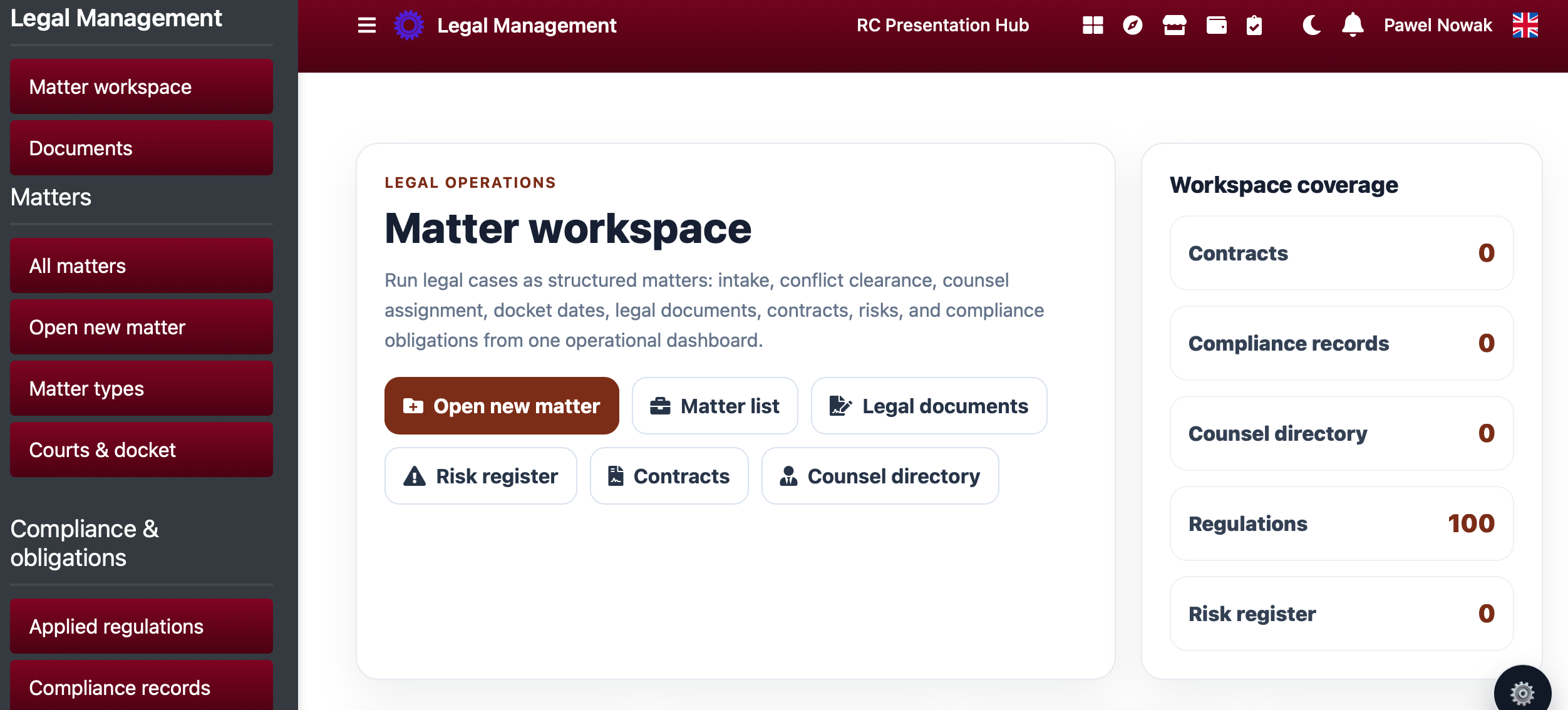
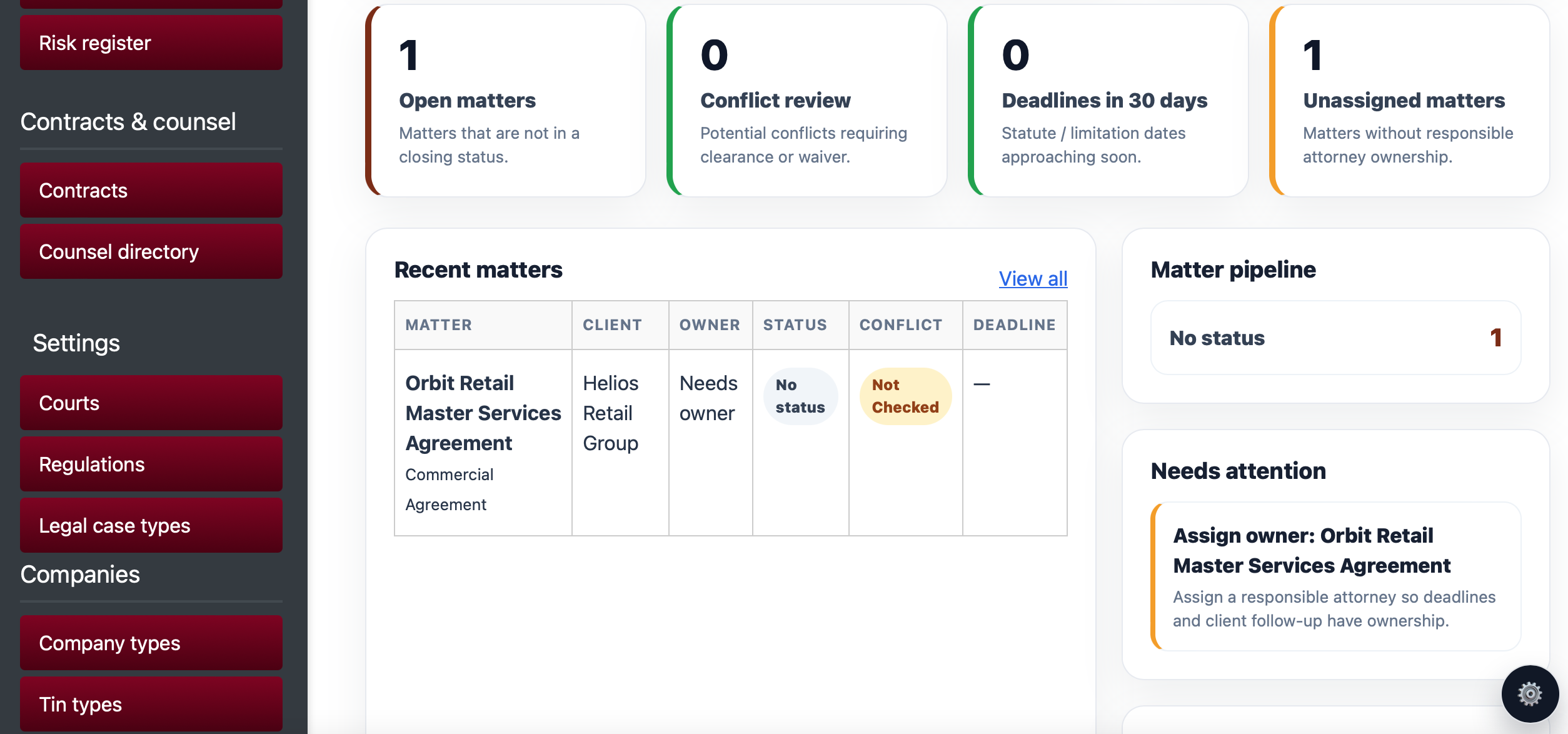
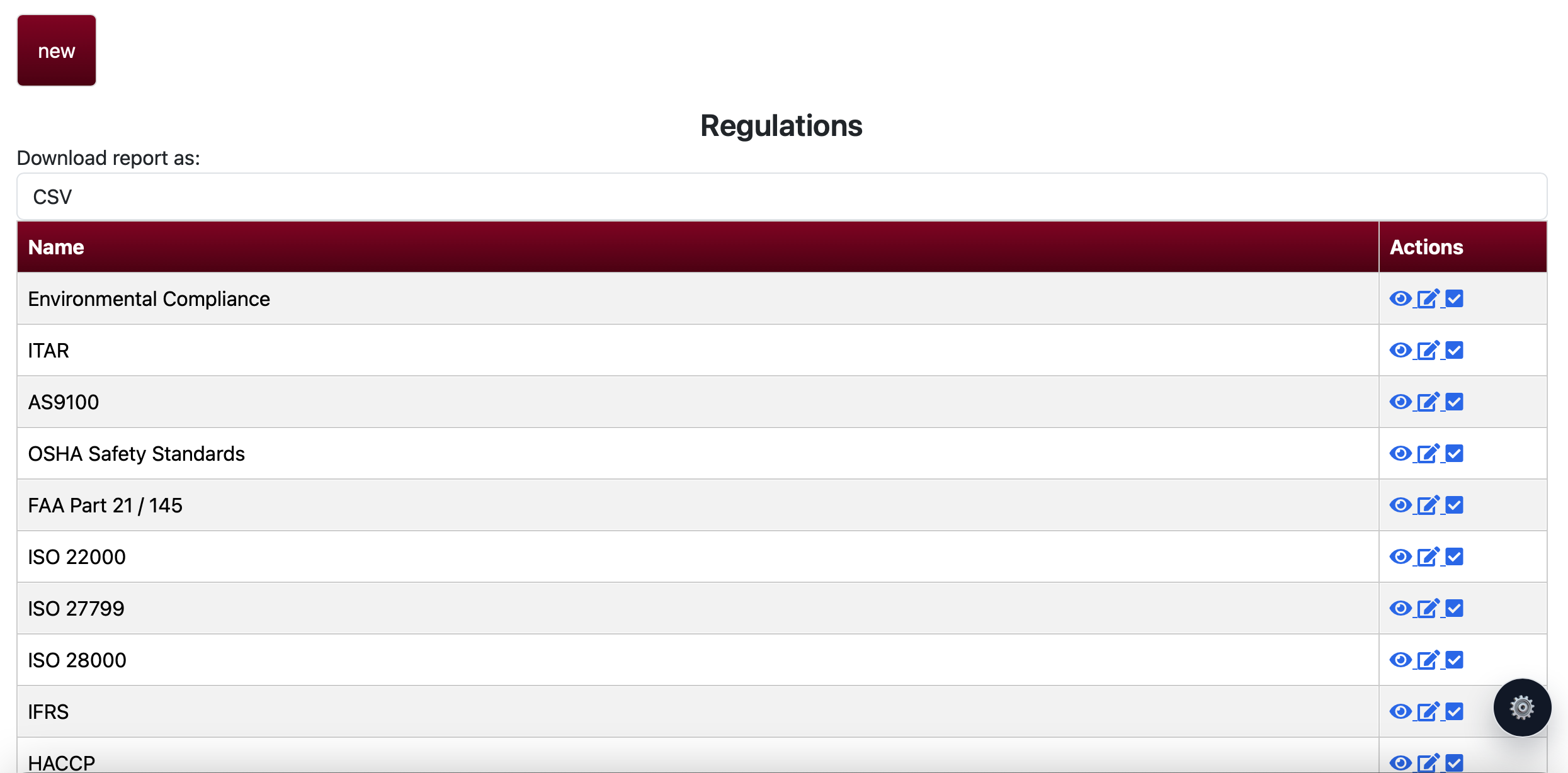
Legal matters can now link to configured organisation rules and possible context rules by jurisdiction, source, authority, sector, practice area, matter type, client type and document type. Command chips can ask for missing fields, required documents, approvals, workflows, AI thresholds and evidence checklists.
Shows why configured rules may apply, missing requirements, linked evidence and AI threshold review recommendation.
Documents can carry matter, regulation, evidence category and confidentiality classifications.
USA Legal Office, conflicts, confidentiality, AI governance, legal hold, PHI, California privacy and missing source/document filters.
Workflow support only: Robo Connector does not provide legal advice, guarantee compliance, replace attorneys, manage trust accounts, perform certified court filing or make autonomous legal decisions.
Representative interface proof for regulation-aware matters, dashboards, requirements and regulation context.
Buyer path
Start free to evaluate the register, choose the $10/user monthly Legal module for office users who need active matter operations, or select a Legal Office workspace tier for client-facing matter workspace capacity.
Client-facing matter portalsSorted from cheapest to most expensive.
Begin with the free setup, choose a plan when you need automation and reporting, or ask us to configure the first workflow with your data.
← Back to all modules